For a hospital that wants appointment requests in writing
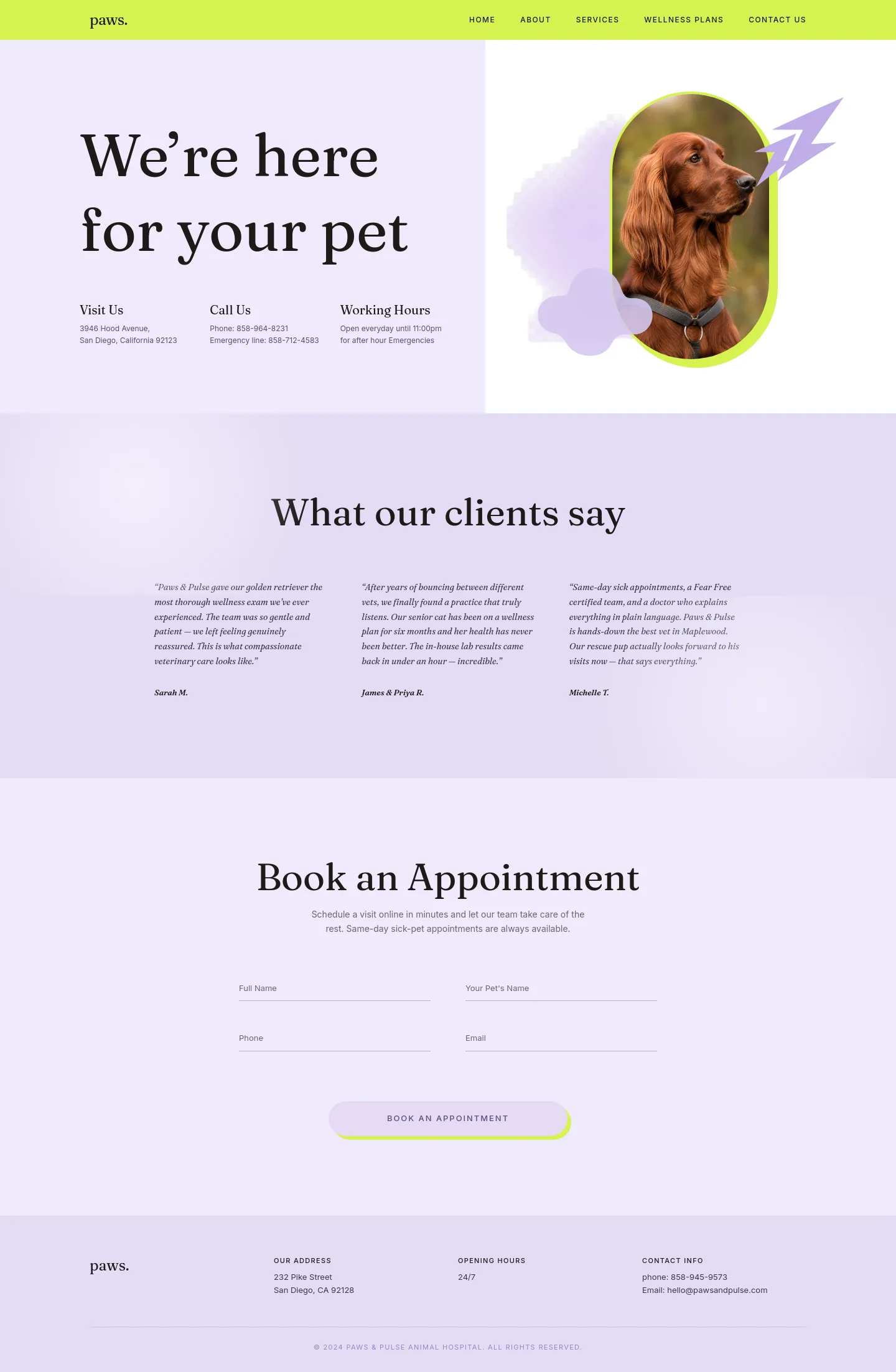
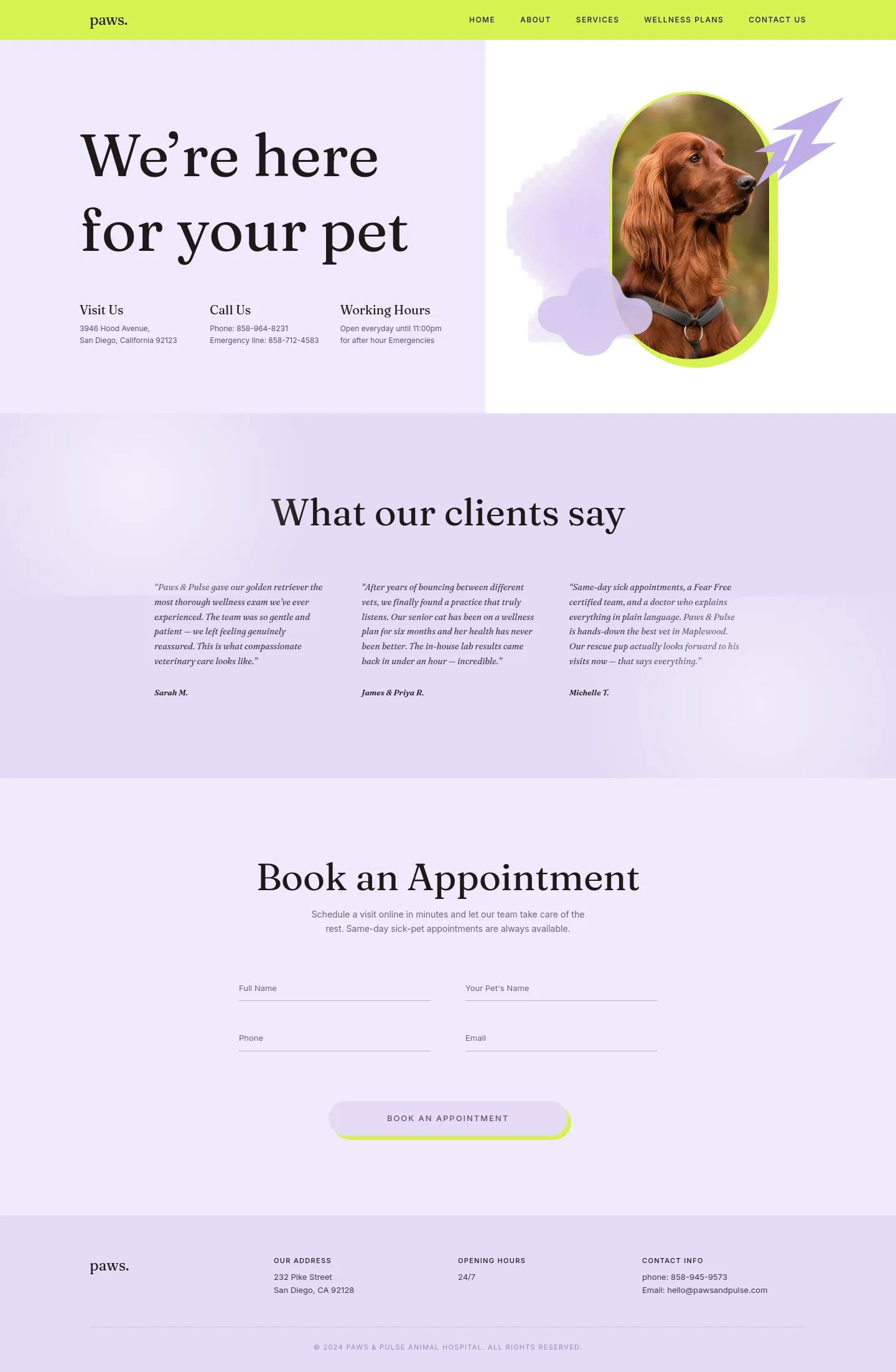
Lavender Paw is a single-page site, and it is built around a form. Visitors read who you are, see what other owners say, then fill in an appointment request with their name, their pet's name, a phone number and an email address. Asking for the pet's name is a small touch that matters. Your reception team gets a request they can match to a patient record before they ring back, and the owner feels they are booking for their animal rather than filling in a generic enquiry.
This suits a hospital where most visits are planned: vaccinations, check-ups, dental work, follow-ups. It also suits a practice with stretched front-desk staff who would rather work through a list of requests at quiet moments than answer every booking live. Where Plum Paw leads the visitor toward picking up the phone, Lavender Paw collects the booking for you to confirm later.
It does not forget urgent cases. The opening section shows your address, your main number and a separate emergency line side by side, together with late opening hours. So an owner with a sick animal at 9pm finds the right number without scrolling.
What is already on the page
From top to bottom you get:
- A header linking to Home, About, Services, Membership and Contact Us
- An opening section with your headline, address, both phone numbers and opening hours
- Three customer testimonials under "What people say about us"
- The Book an Appointment form
- A footer with your address, opening hours and contact details
The look is soft and pastel, with a single portrait of a dog. That calm, friendly feel works well for a practice whose clients are mostly dog and cat owners booking routine care. It is less about clinical credentials and more about reassurance.
The work before you launch
Most of this is copy. The testimonials are placeholder text, so you will need three real quotes from clients. The line under the booking form is generic setup wording and needs replacing with something like how quickly you confirm bookings. You will also need to connect the form to your inbox or practice software.
Check your details carefully. The address and phone number in the footer differ from the ones in the opening section. The hours say "until 11:00pm" in one place and "24/7" in another. The footer email is a placeholder too. Pick your real details and use them in both places.
The header links to Services, About and Membership, but the page has no sections for them yet. If you offer wellness plans or a yearly membership, you would add a section explaining it. The same goes for a short list of services. Finally, swap the dog photograph for one of your own patients, ideally a cat or rabbit too if you treat more than dogs.
Choosing it over the others
Honey Paw is about your whole relationship with a pet over its lifetime, and Plum Zest gives space to retail. Lavender Paw is the leaner choice: one page, one clear job, which is turning a visit into a booking request your team can act on.